Reusable Component
The Idea
With riverpod_craft, you can build reusable UI components that work with any provider — without hard-wiring a specific data source inside the widget. You pass the provider in as a parameter, and the component handles loading, error, and data states generically.
This works because every generated provider exposes a provider value type. There are four types:
| Type | Description |
|---|---|
ProviderValue<T> | For synchronous state providers |
DataProviderValue<T> | For async data providers (Future / Stream) |
PagedProviderValue<T> | For paginated data providers |
CommandProviderValue<T, ArgT> | For command providers |
Accept these as constructor parameters, call .of(ref) inside build, and you get access to .watch(), .read(), .invalidate() — all without knowing which provider is behind it.
One widget, any data source.
A dropdown is just one example. The same pattern applies to search fields, pickers, lists, cards — any component that displays provider-driven data.
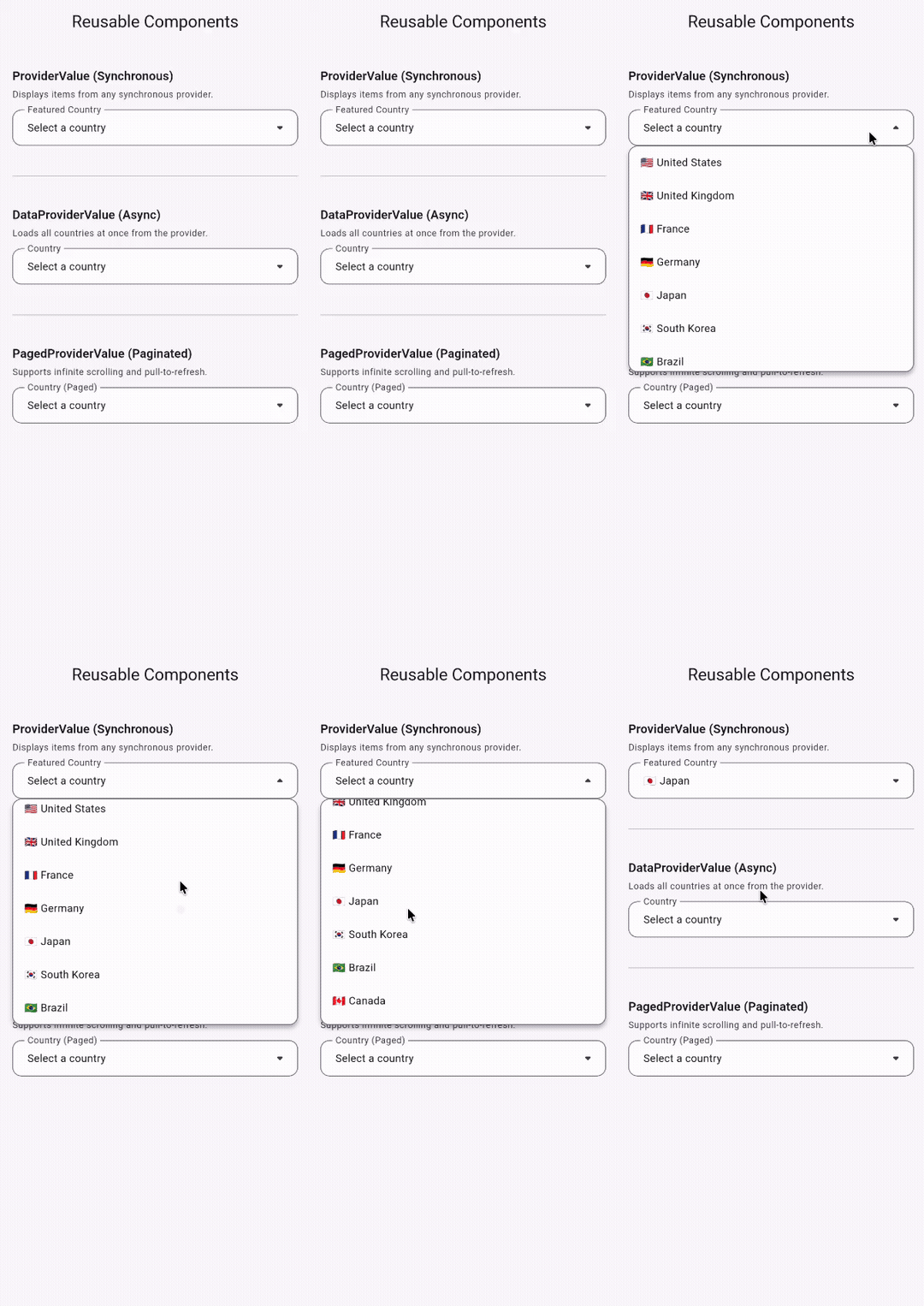
Example 1: ProviderValue (Synchronous)
The simplest case — a dropdown for any synchronous provider. No loading or error states needed:
class SyncDropdown<T> extends ConsumerWidget {
const SyncDropdown({super.key, required this.providerValue});
// providerValue is an accessor for the provider, not the actual provider itself.
final ProviderValue<List<T>> providerValue;
Widget build(BuildContext context, WidgetRef ref) {
// Use .of(ref) to access the actual provider in this widget.
final provider = providerValue.of(ref);
final items = provider.watch();
// ... build your dropdown menu with items
}
}
Usage:
SyncDropdown<String>(
  providerValue: ref.featuredCountryProvider,
),

SyncDropdown<Category>(
  providerValue: ref.categoriesProvider,
),
Example 2: DataProviderValue (Async)
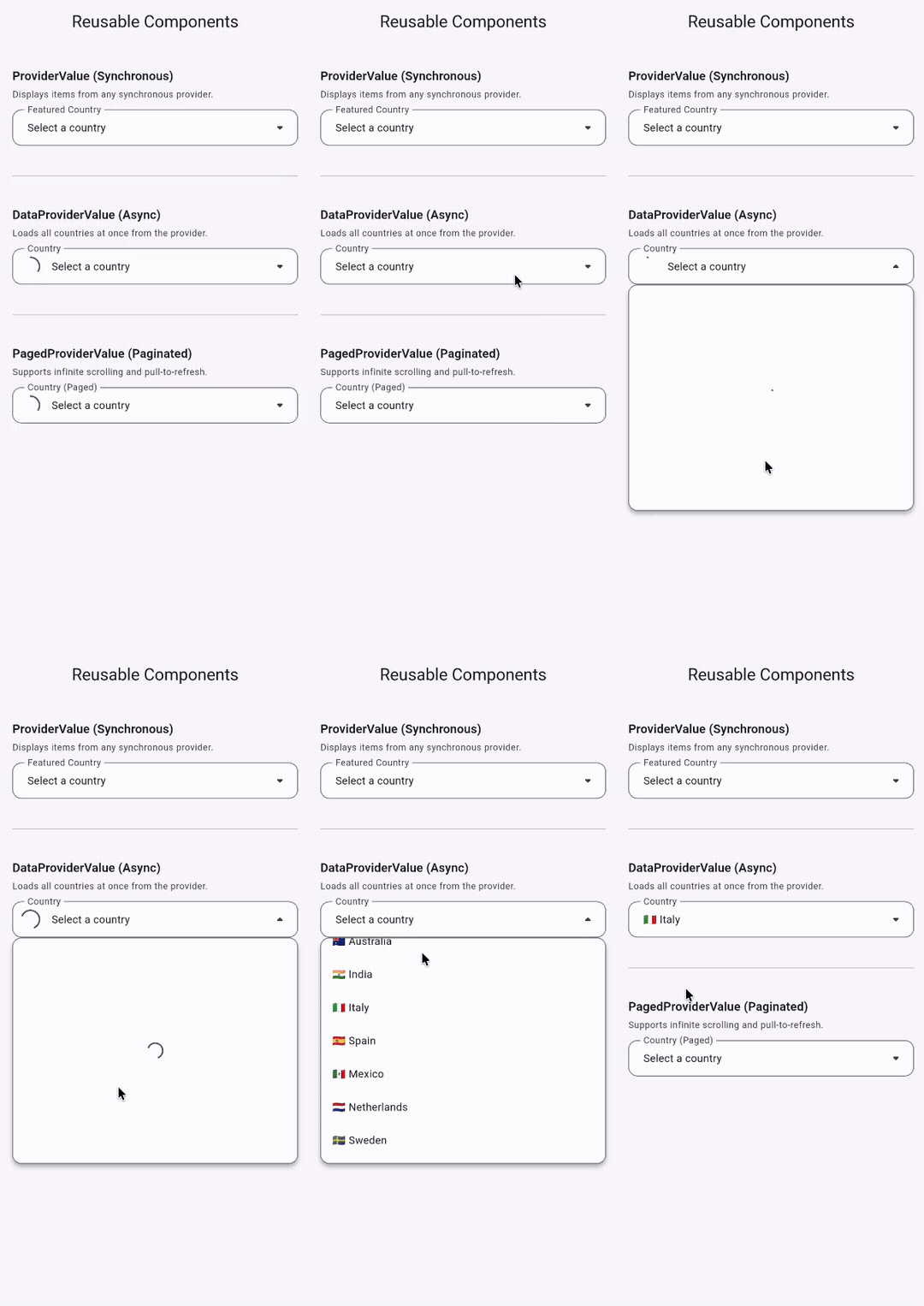
To illustrate the pattern, let's build a dropdown that:
- Loads items from any provider
- Shows loading/error states automatically
- Works with any data type (
String,Country,Category, etc.)
Step 1: Define the Provider
Start with a normal riverpod_craft provider:
Future<List<String>> countries(Ref ref) async {
await Future.delayed(const Duration(seconds: 2));
return ['🇺🇸 United States', '🇬🇧 United Kingdom', '🇫🇷 France', ...];
}
This generates ref.countriesProvider which implements DataProviderValue<List<String>>.
Step 2: Build a Generic Widget
Create a widget that accepts DataProviderValue<List<T>> instead of knowing about any specific provider:
class AsyncDropdown<T> extends ConsumerWidget {
const AsyncDropdown({super.key, required this.providerValue});
// providerValue is an accessor for the provider, not the actual provider itself.
final DataProviderValue<List<T>> providerValue;
Widget build(BuildContext context, WidgetRef ref) {
// Use .of(ref) to access the actual provider in this widget.
final provider = providerValue.of(ref);
// ... build your ui here
}
}
The key line is:
final DataProviderValue<List<T>> providerValue;
This makes the widget completely agnostic about which provider it uses.
Step 3: Use the Provider Inside build
Call .of(ref) on the provider value — this gives you a provider object that you can use normally, just like any riverpod_craft provider:
final provider = providerValue.of(ref);

provider.watch();        // watch state reactively
provider.read();         // read state once
provider.invalidate();   // refresh the provider
provider.reload();       // reload and show loading state
provider.silentReload(); // reload without showing loading state
provider.listen(...);    // listen to state changes
For example, inside a dropdown:
Widget build(BuildContext context, WidgetRef ref) {
final provider = providerValue.of(ref);
final state = provider.watch();
if (state.isLoading) {
return const CircularProgressIndicator();
}
if (state.isError) {
return IconButton(
onPressed: () => provider.reload(),
icon: const Icon(Icons.refresh),
);
}
final items = state.dataOrNull;
// ... build your dropdown menu with items
}
Nothing special — it's the same API you already use with any provider, just passed in as a parameter.
Step 4: Use It Anywhere
Now you can plug in any DataProviderValue<List<T>>:
// With countries
AsyncDropdown<String>(
  providerValue: ref.countriesProvider,
),

// With categories — same widget, different provider
AsyncDropdown<Category>(
  providerValue: ref.categoriesProvider,
),
One widget, many data sources.
Example 3: PagedProviderValue (Paginated)
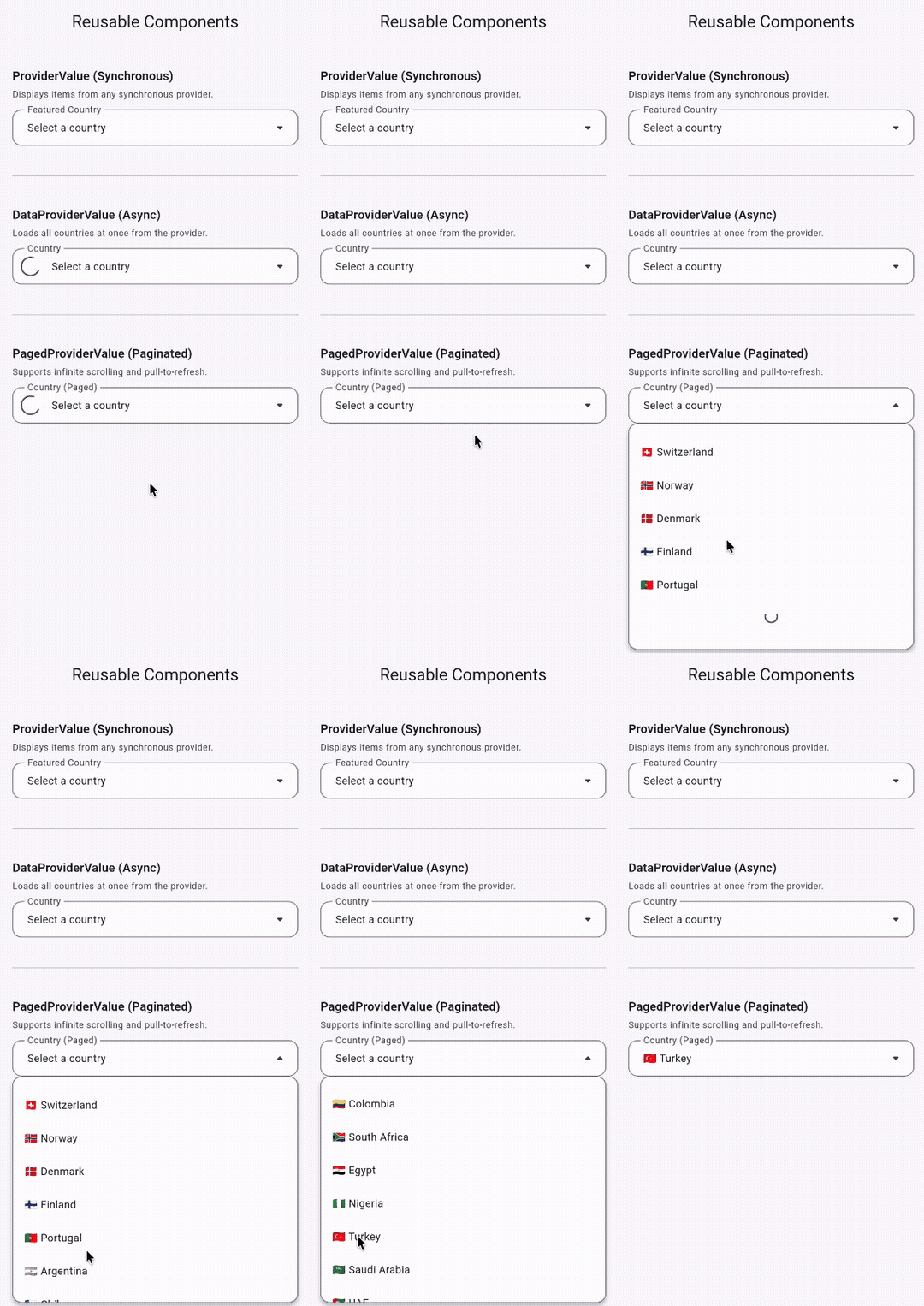
The same pattern works for paginated data — use PagedProviderValue<T> instead:
class AsyncPagedDropdown<T> extends ConsumerWidget {
const AsyncPagedDropdown({super.key, required this.providerValue});
// providerValue is an accessor for the provider, not the actual provider itself.
final PagedProviderValue<T> providerValue;
Widget build(BuildContext context, WidgetRef ref) {
// Use .of(ref) to access the actual provider in this widget.
final provider = providerValue.of(ref);
// ... build your ui here
}
}
You can use CraftPagedListView to display the paginated data inside your component.
Usage:
AsyncPagedDropdown<String>(
  providerValue: ref.countriesPagedProvider,
),
See the complete working example in examples/custom_dropdown.